Business app platform
Overview
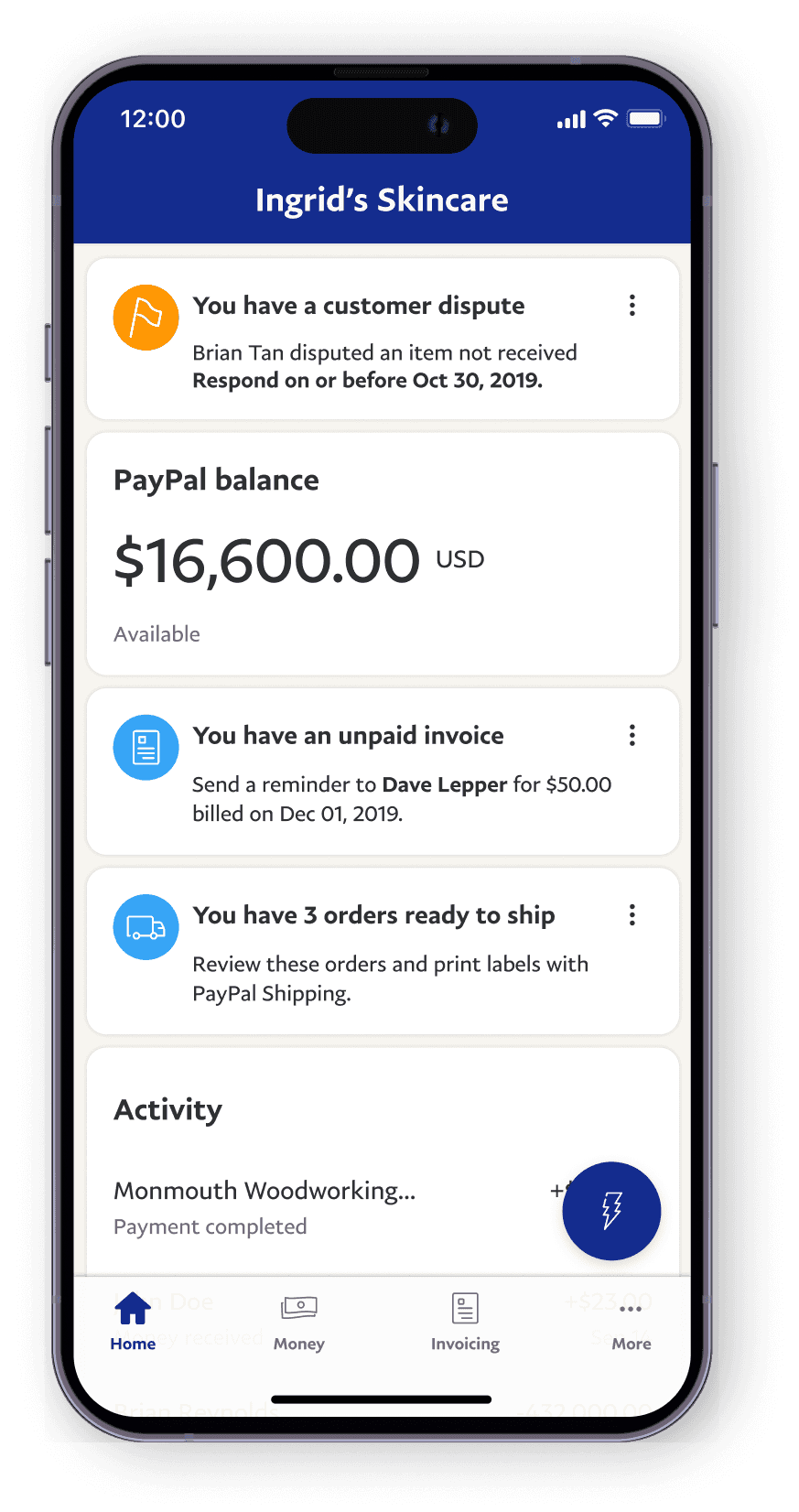
I created a design framework to scale PayPal Business, a native app that empowers 1.2 million small business owners worldwide enabling them to manage their sales operations by sending invoices, monitoring progress, resolving disputes, tracking loans, and reviewing transactions.
My role
As an IC design lead, I shaped the vision and framework of the Business App, positioning it as a convenient payment solution for on-the-go small businesses.
I also mentored a junior designer, ensuring adherence to best practices, collaborated with project managers, a researcher, and mobile engineers on iOS and Android platforms.
This retrospective provides glimpses of my three-year journey with the team and covers highlights of this journey.
Challenge: Tasks were hard to find and complete
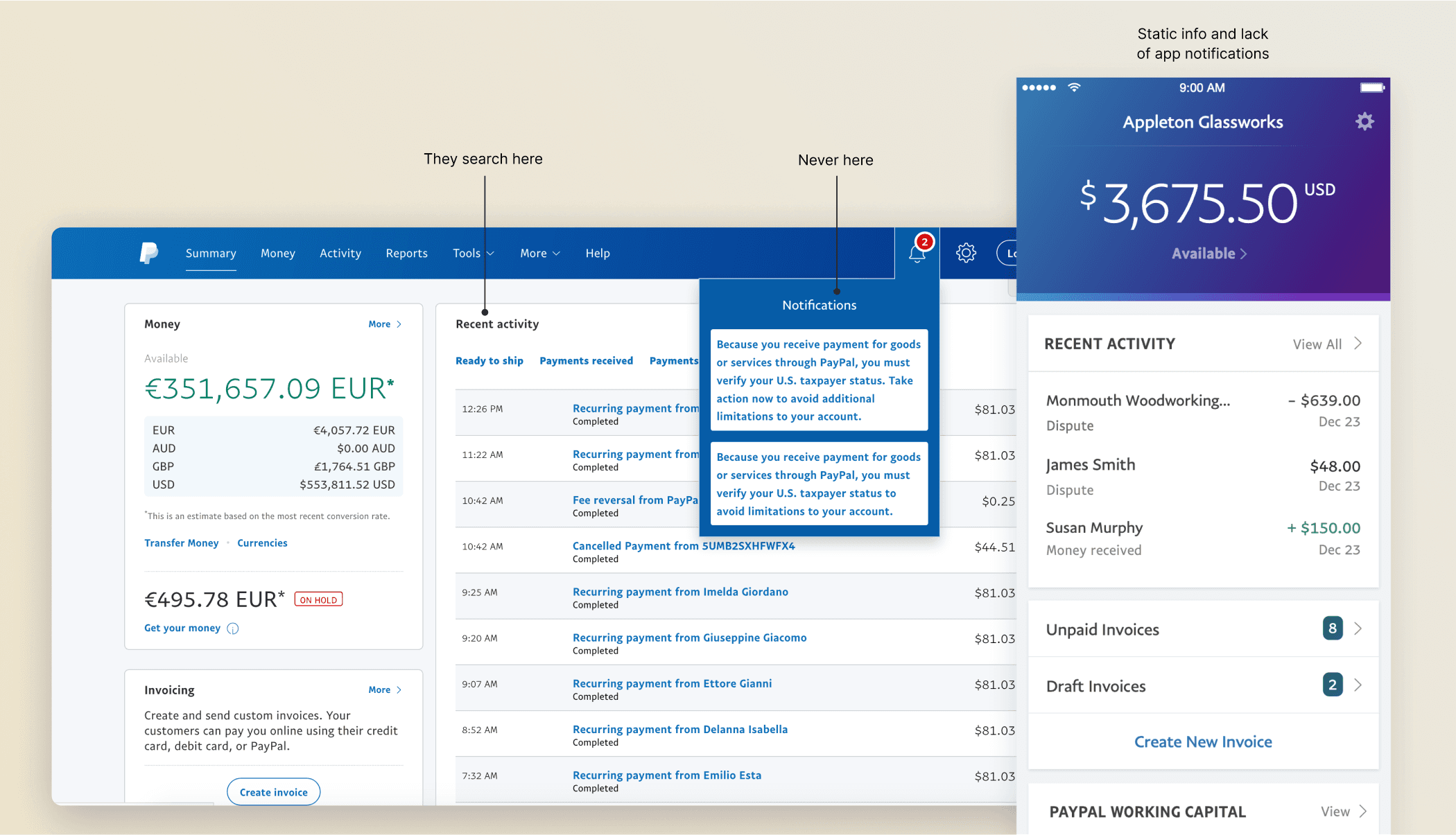
Static and scattered experiences on mobile and web
Diary study & card sorting results
Our goal was to evolve the product from just viewing payments to something more useful on the go, giving merchants real tools to manage their business in the field, not just at a desk.
To shape our direction, I partnered with our research team on a diary study and a card sorting exercise. We spent time with small business owners in the U.S. and India, observing how they work, what tools they use and asking what matters to them
Mismatched expectations
Merchants downloaded the app expecting it to mirror the web, but found it lacked key info and actions.
Quick, on-the-go use & tasks tracked elsewhere.
Averaging 2.5 minutes per session, merchants often used the app between errands or customer interactions, and needed flow speed. Because PayPal did not offer a clean way to track tasks, merchants resorted to physical notes and lists.
Doers and checkers
We saw two main behaviors:
Doers: Send invoices and payment reminders
Checkers: Constantly monitor transactions and cash flow
Refund blind spots
Power users were frustrated they couldn’t see or act on refund requests in the app. Since PayPal auto-refunds after 5 days with no response, they often found out too late — losing both money and trust.
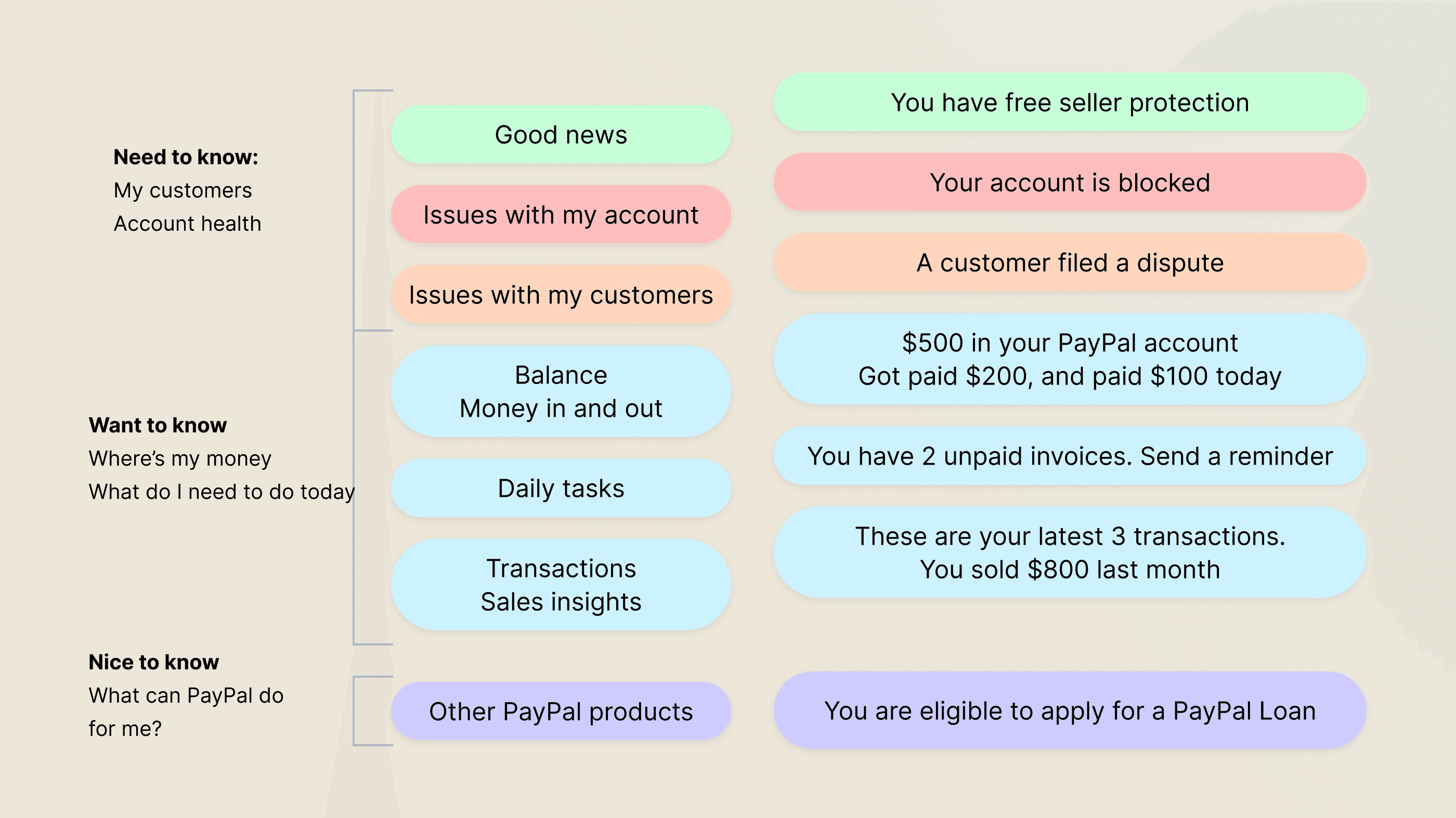
Need to know, nice to know, everything else
Card sorting showed us merchants care most about anything that impacts their customers or delays getting paid. Next came transactional details like “Who paid me?”, and way down the list were new offers or products from us.
Merchant hierarchy of needs
Mobile and web collaboration
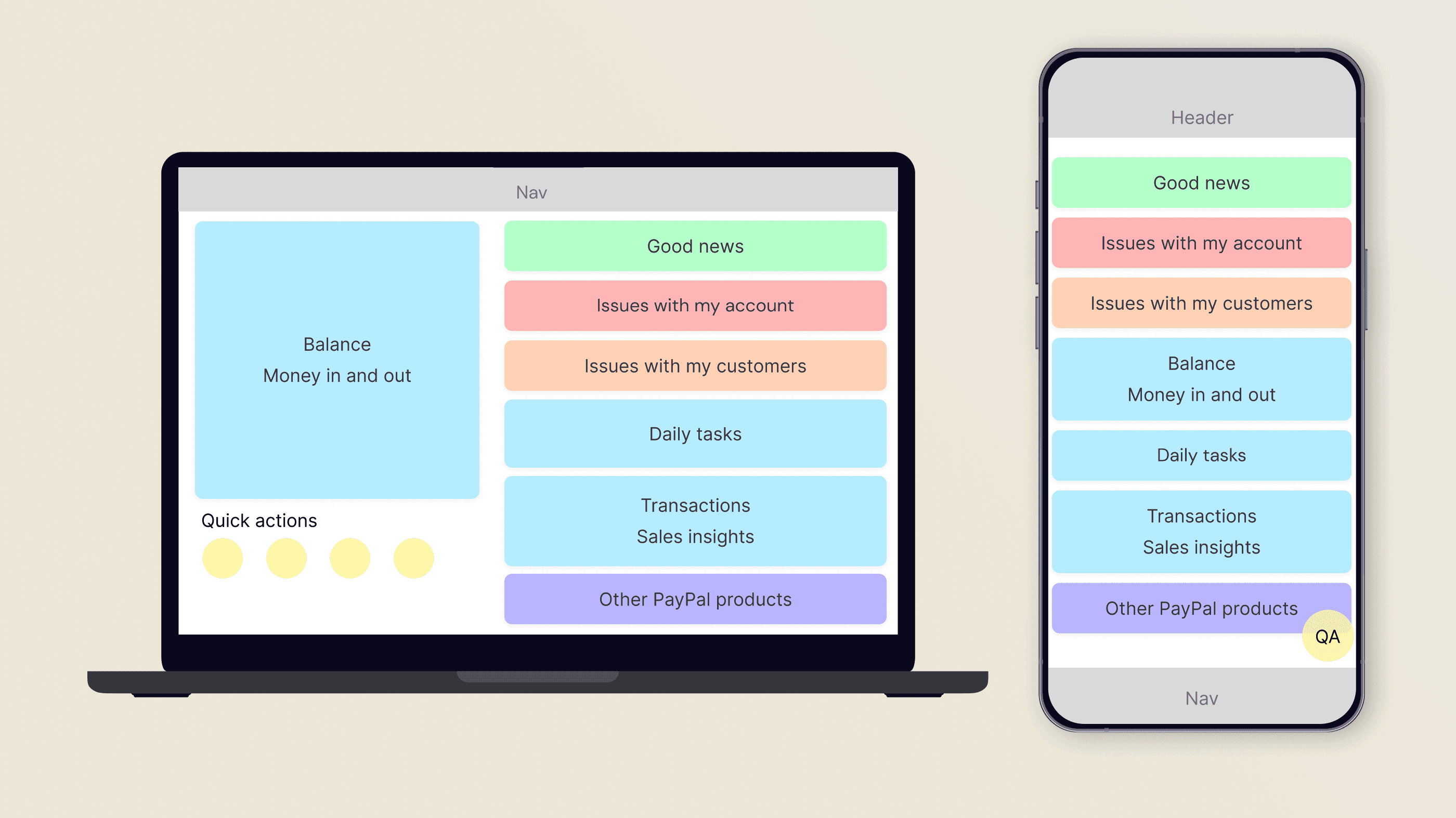
In collaboration with the web home screen team, I developed a scalable Home Framework that consistently presented information across platforms. I prioritized discrete areas for critical information, ensuring a sense of permanence and providing guidelines for other teams to add notifications, features, and cross-sells.
Blueprint for mobile and web experiences
Design directions
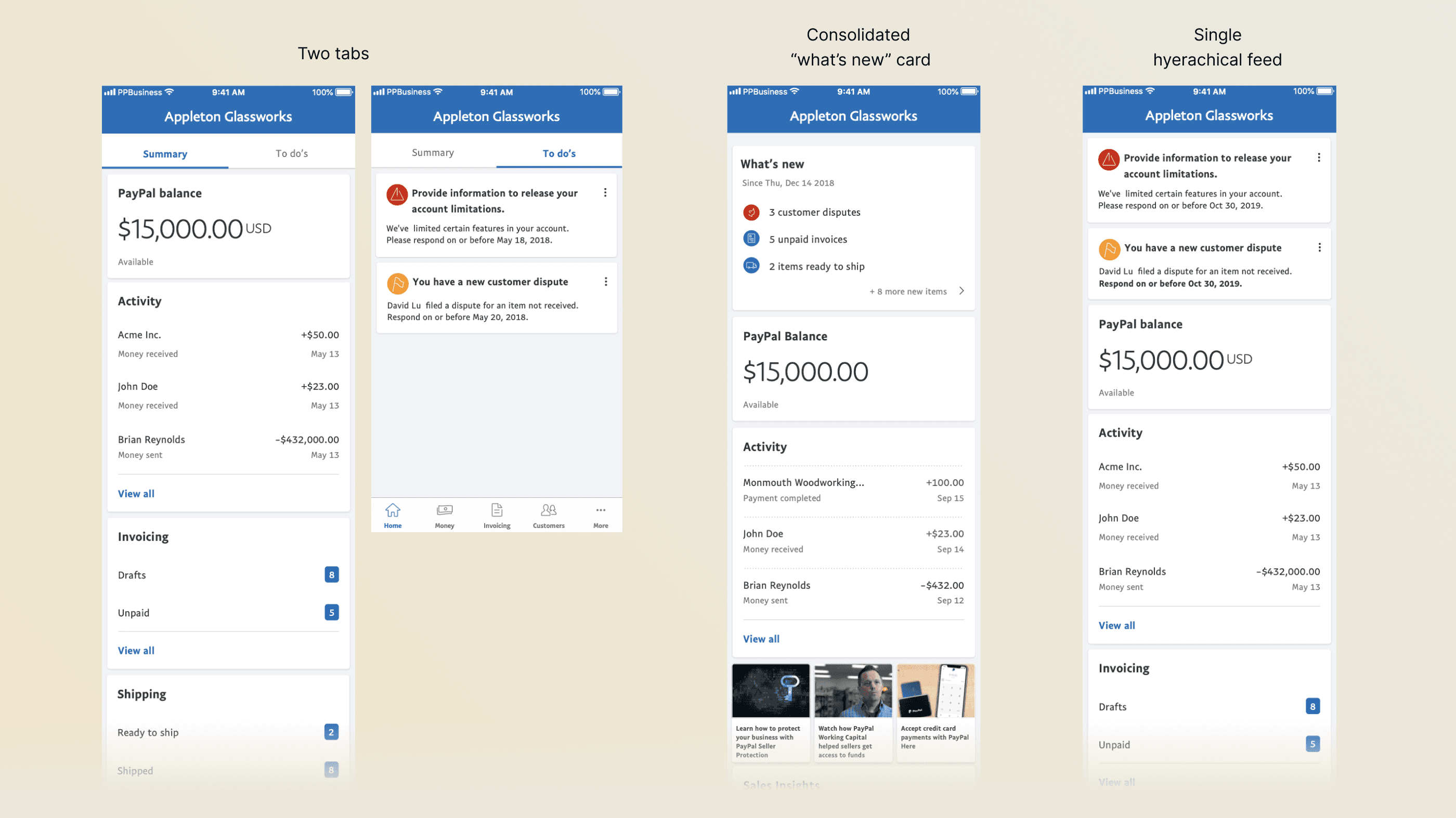
I explored multiple design directions, trying to balance work that the home web team had created before us, like the idea of keeping notifications in a secondary tab, which I sensed mobile users wouldn't visit given their usual speed of use , but had the curiosity to test.
The idea of a consolidated card with notifications was discarded early on, as it required our notifications system to be fully rebuilt.
Design directions
Final alignment
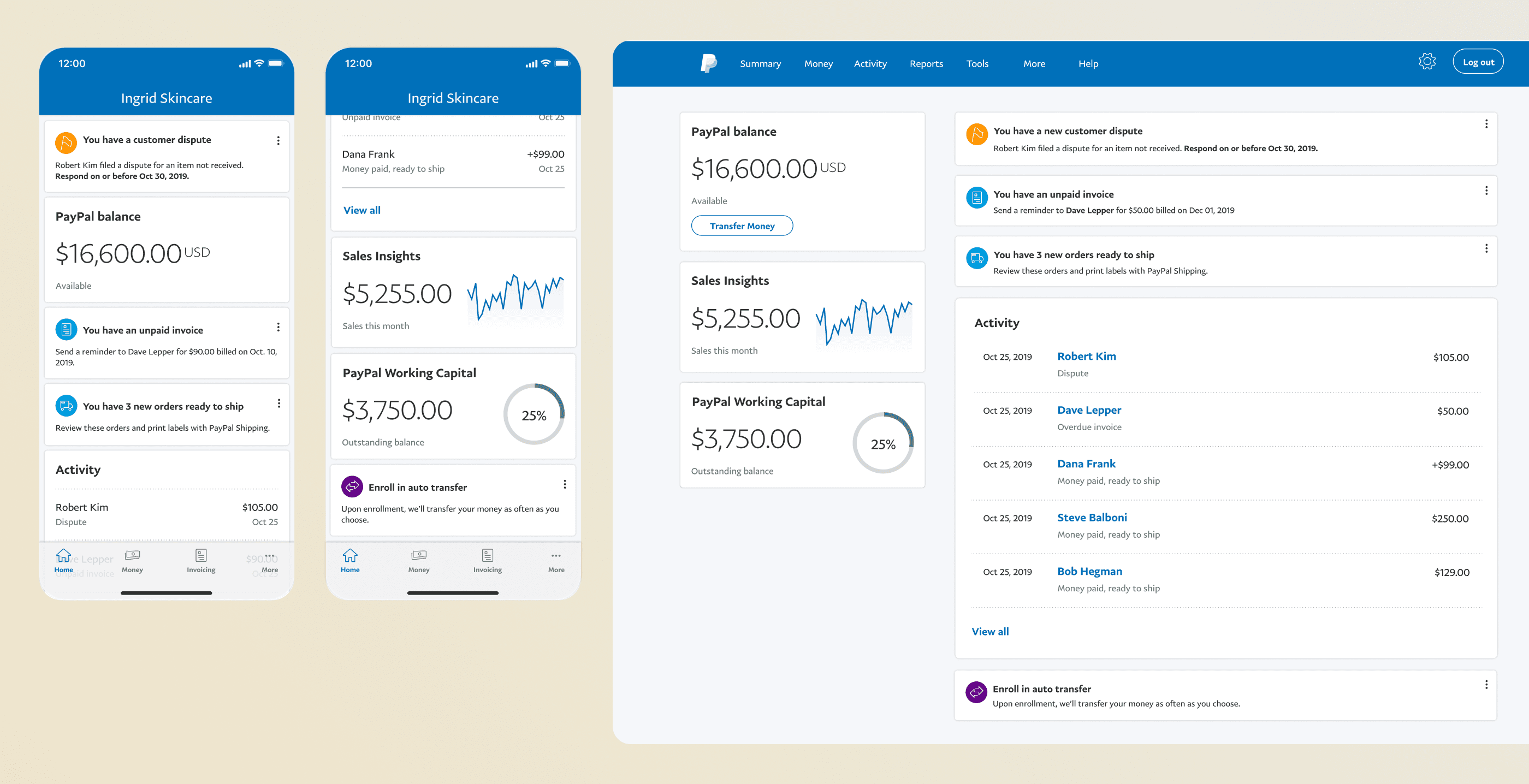
Our usability tests helped both the web and mobile teams converge on a single design. Over 2 months we worked together to create a hierarchy that served the needs of mobile and web users on each experience, while balancing pattern parity. I contributed with card designs for our messaging system, and influenced the web team to use concise content and a clean list design.
Final concept for mobile and web
Working in phases across the org
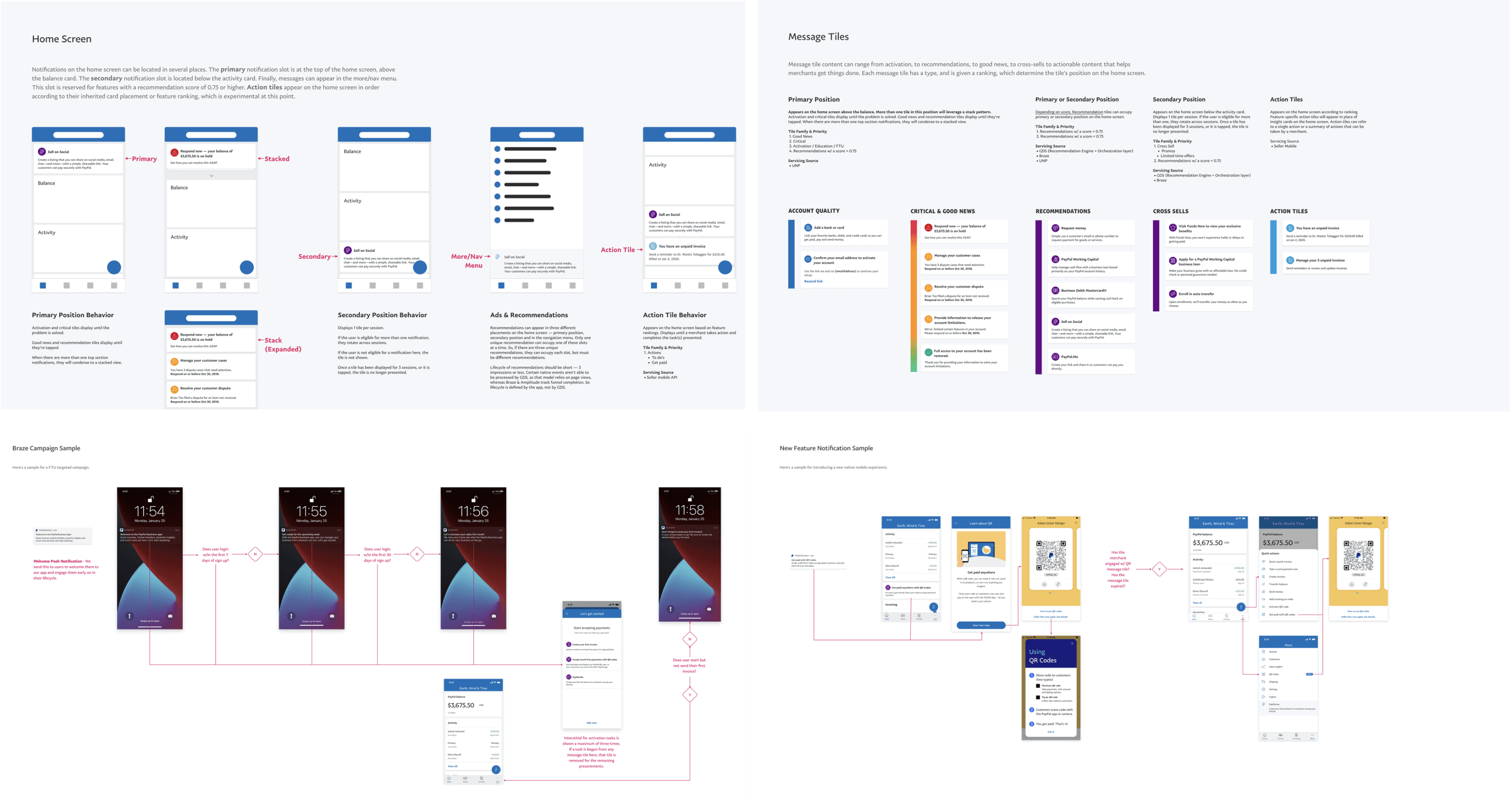
After wrapping up the concept phase, we moved into phase two: closing the gaps between mobile and web, and adding missing features and messaging on mobile. I collaborated with designers across the merchant org to understand their use cases, help translate them into our new design framework, and integrate their flows into the app. Here are some examples of in-app messaging across different communication types.
Messaging rolled out across teams
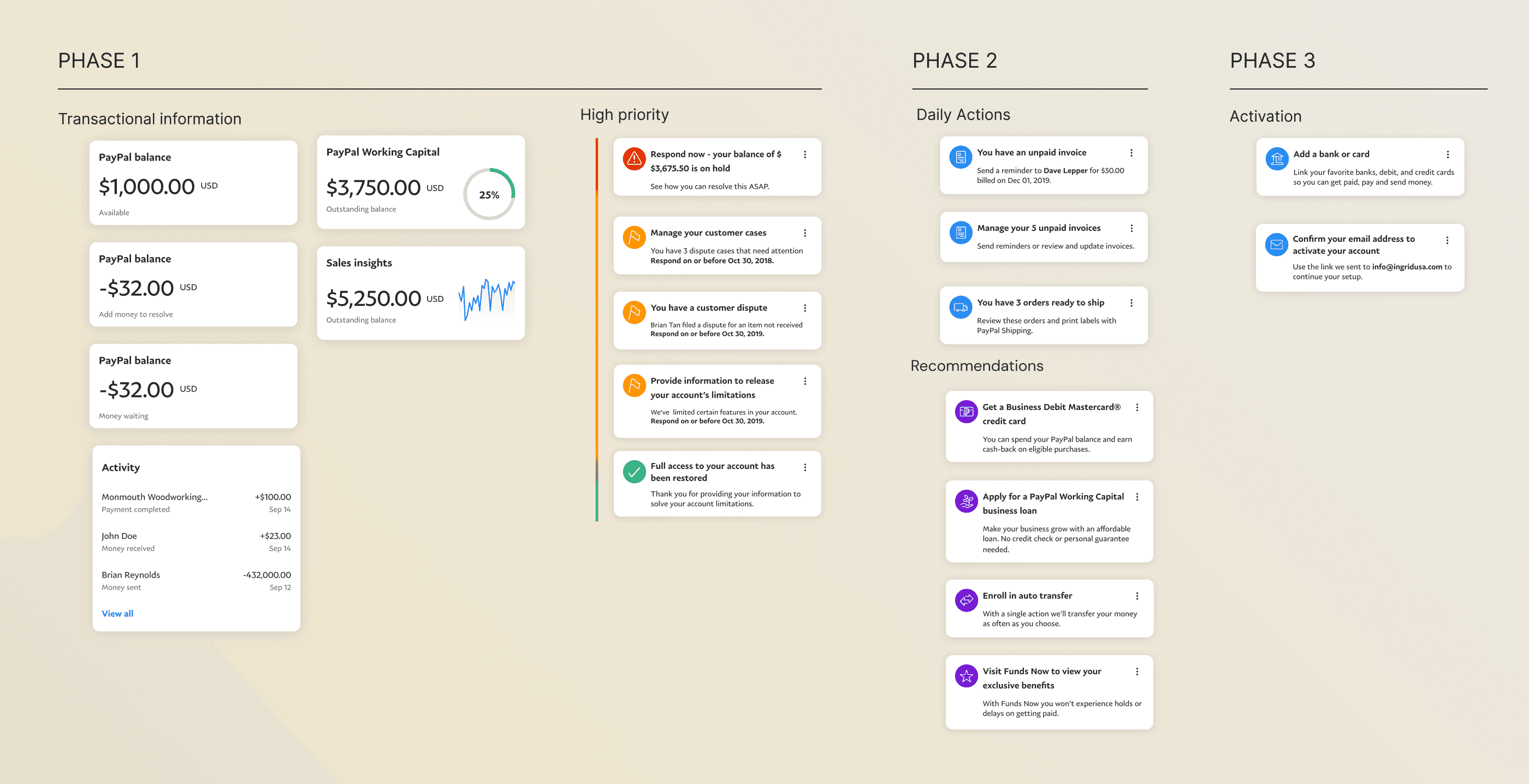
Documentation shared with teams
Card-ranking for governance
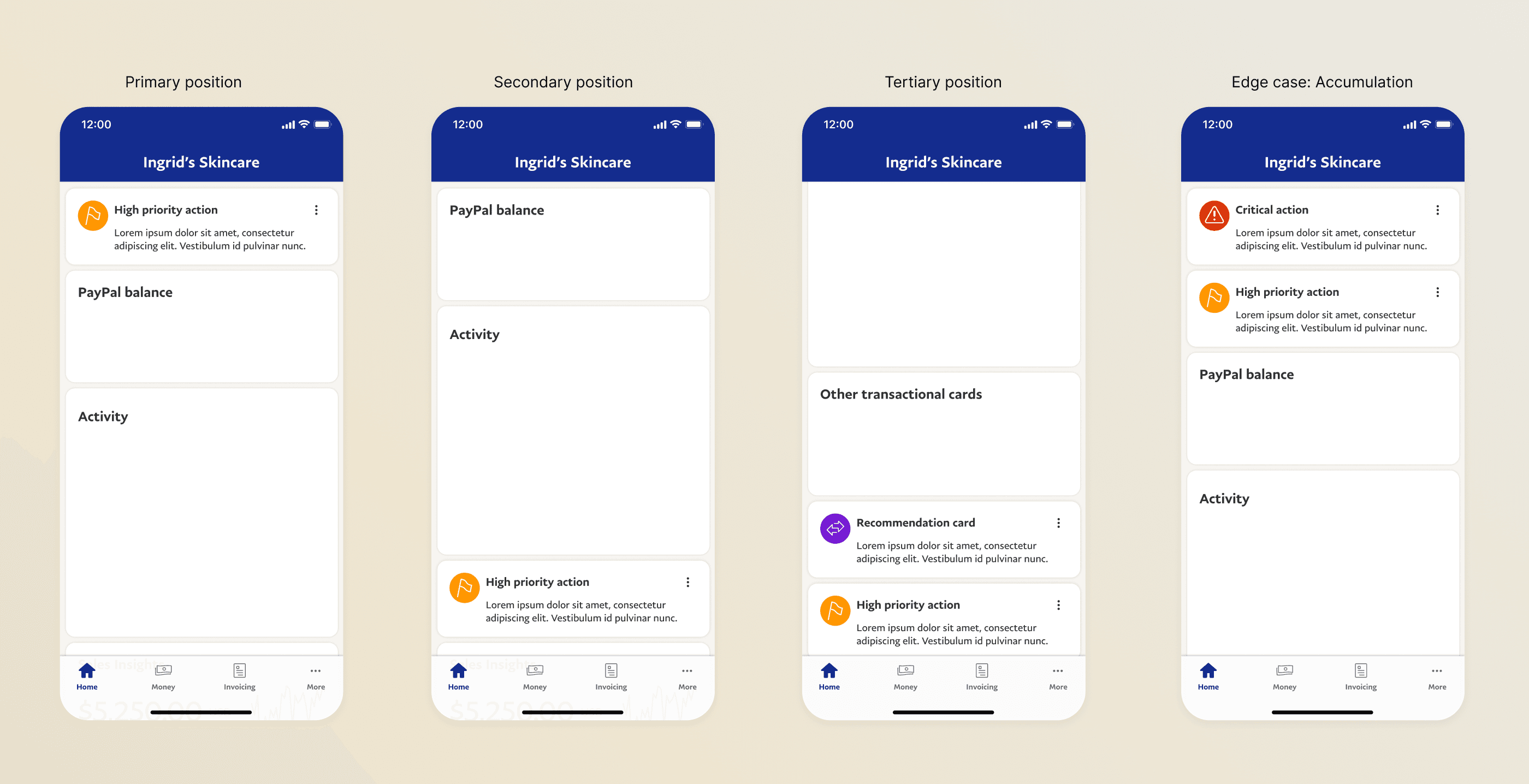
One of the hardest problems on a platform like this is governance. Every team thinks their feature deserves prime real estate. Rather than make that a political negotiation, I worked with engineering to build a card-ranking system powered by ML and click-through rate data. The rule was simple: if your content doesn't perform as well as what's already there, it gets de-ranked.
Customer disputes led with 80% CTR — any team that wanted above-the-fold placement had to beat that bar. It turned a subjective argument into an objective one, and removed designers, PMs and engineers from the middle of every escalation.
Card ranking approach
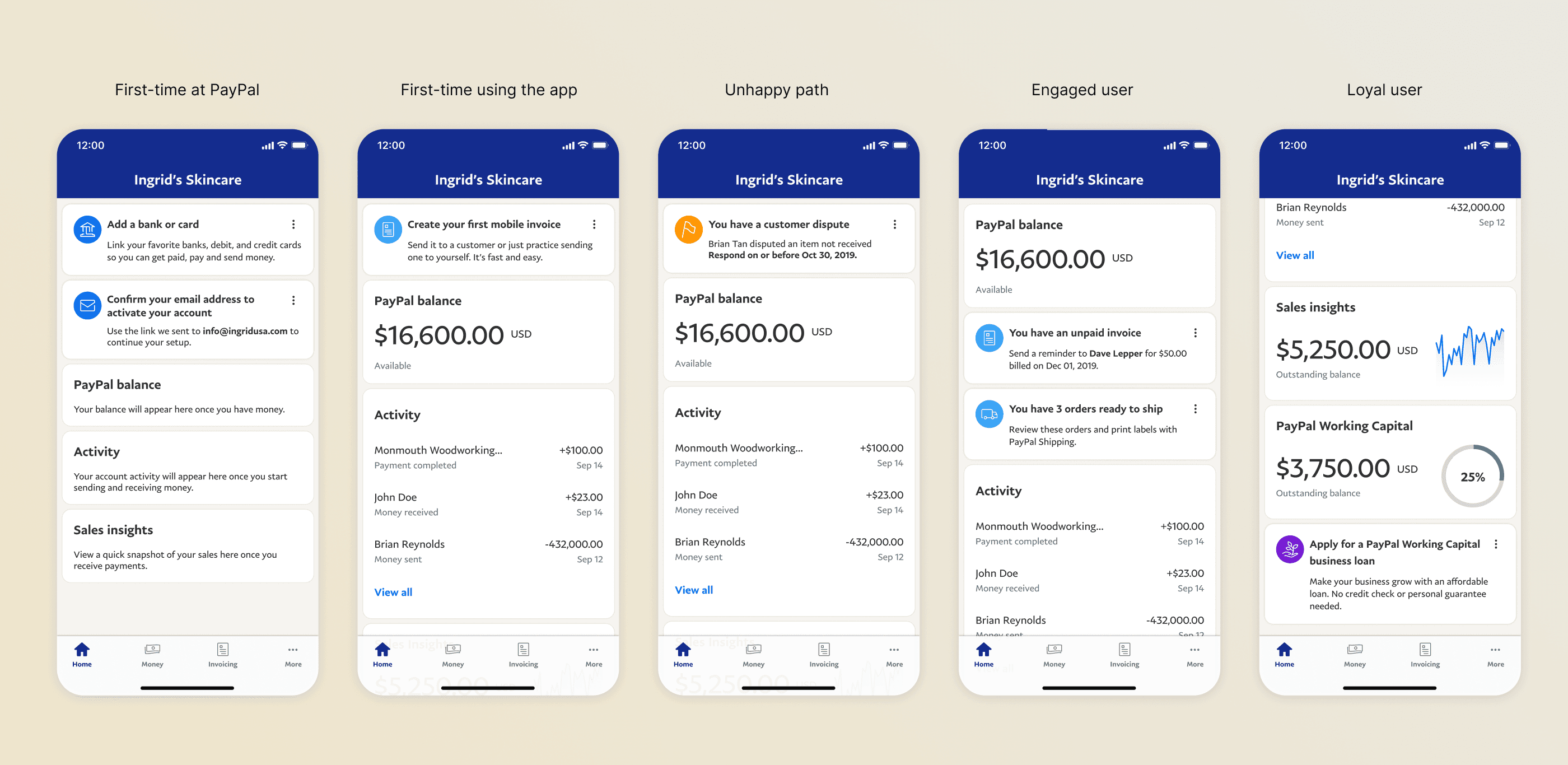
Result: A feed that evolves through the user journey
Over time, we built more than just a home screen — we created a dynamic system where features and messaging worked in sync, guiding merchants through every stage of their journey. Whether they were new to PayPal, handling a dispute, or ready to explore more tools, the feed adapted to meet them where they were. What started as a simple list became a smart, evolving experience — one that supported users from their first invoice to their hundredth sale.
Design directions
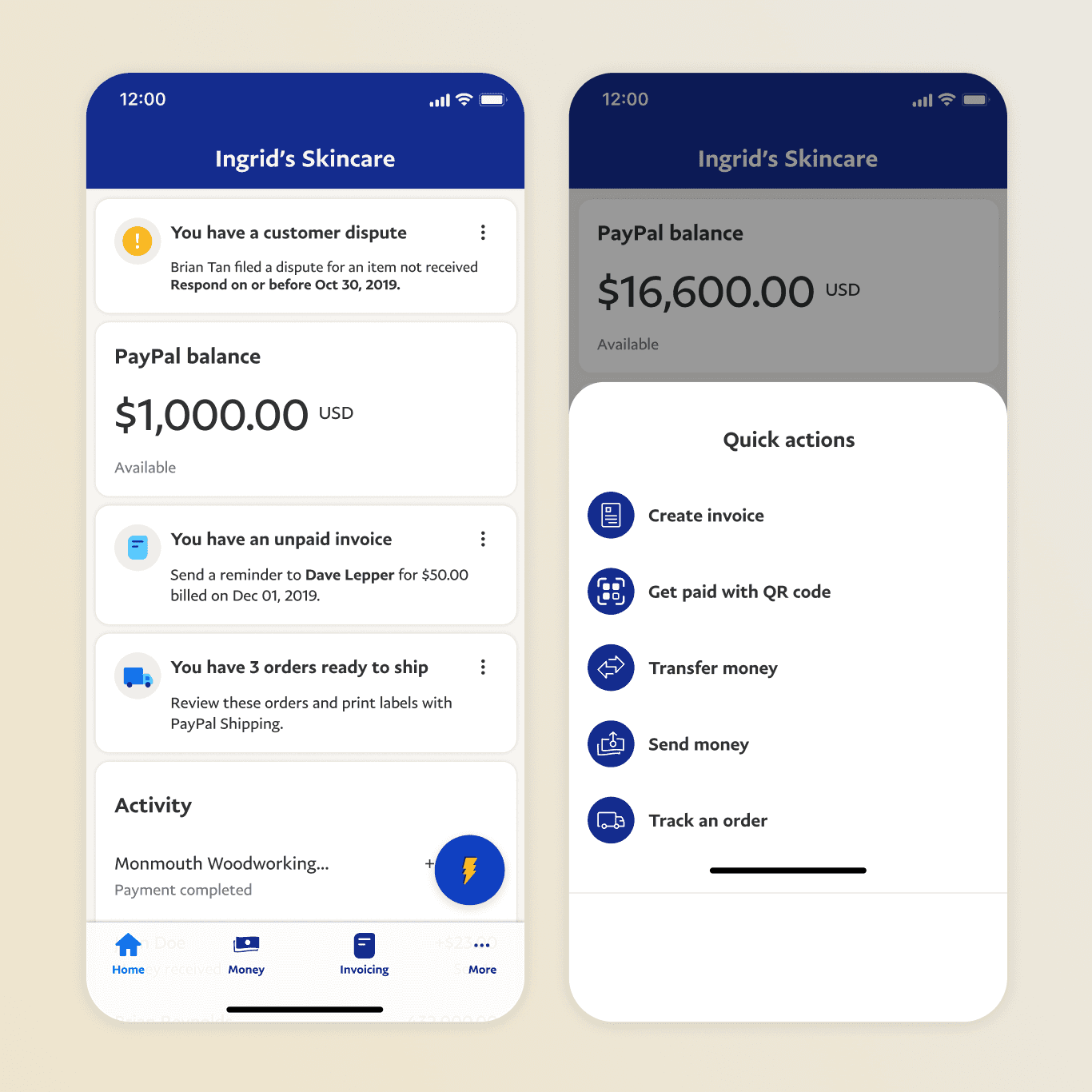
Quick actions
One of the highest-performing features to come out of this work was Quick Actions — a persistent action button surfacing the flows merchants used most. It reduced the steps to complete common tasks and became one of the most-used entry points in the app.
We also refreshed the look and feel of the app using the new design language and iconography launched months later.